nanopay · Back Office
Back Office
Redesigning an internal operations platform for accounts, transactions, and onboarding.
01 — The problem
Finding a transaction took longer than fixing it
Back Office had grown alongside the business, but its information architecture had not.
Different operations teams needed different information at different moments, yet the platform exposed dense screens and fragmented data without a clear hierarchy. Finding the right context often required manual searching and interpretation.
Design priorities
Make critical information easier to find and act on
Create a clearer hierarchy across operational records
Improve the system incrementally without requiring a full rebuild

Understanding the existing experience
Screenshots and annotations from research sessions with Operations teams.
02 — the Constraints
Improving a live system without rebuilding it
A full redesign wasn’t realistic. Back Office was already supporting active operations, while engineering capacity was limited.
I worked with the team to sequence improvements around the highest-friction workflows—allowing us to deliver value incrementally while moving toward a more coherent system.
Interviews with Customer Support, Onboarding, and Payment Operations revealed that the issue wasn’t simply UI complexity. The platform exposed plenty of data, but gave users little help understanding what mattered for the task at hand.
03 — Key decisions
Three decisions shaped the redesign
Sequence by operational friction, not screen/module
WHY
A full rebuild wasn’t realistic, and active operations couldn’t stop.
TRADE-OFF
Accept temporary inconsistency between phases to deliver useful improvements sooner.
Organize around shared records and operational tasks
WHY
Different teams needed different views of the same users, accounts, transactions, and onboarding records.
TRADE-OFF
Use a shared model with progressive disclosure rather than creating separate experiences for every team.
Bring onboarding documents into Back Office
WHY
External document handling created unnecessary searching and context switching.
TRADE-OFF
Increase the scope of the phase to remove a fragmented workflow and make documents part of the customer record.
PHASED DESIGN
01
Transaction & account views
The highest-traffic surface. Shipped first.
02
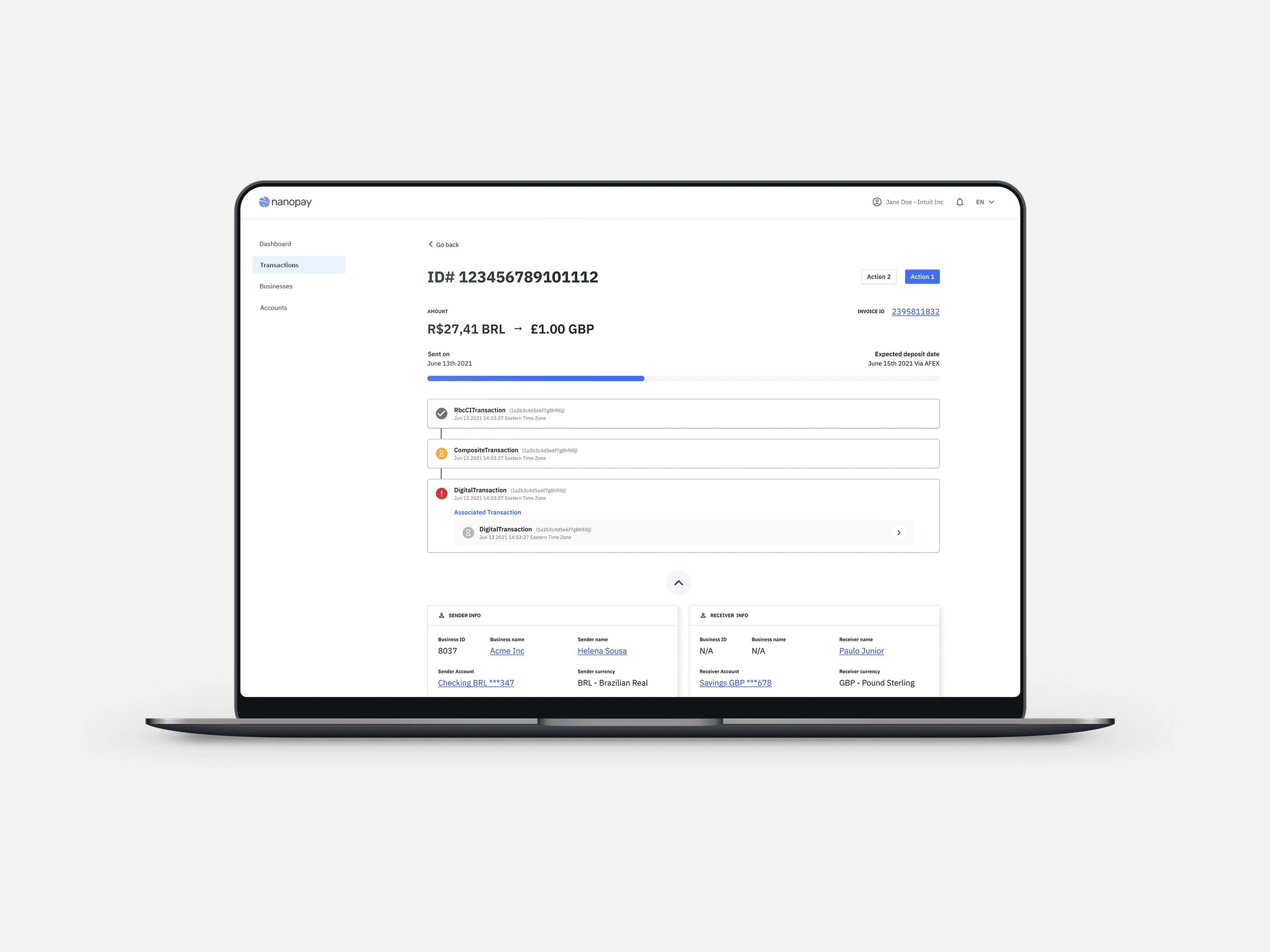
Transaction detail
Full visibility on a single record.
03
Documents & upload
Repository plus dedicated workflows.
04 — what changed

Mapping the redesigned workflow
Early user flows and concepts used to define relationships between key operational views.
Making operational information easier to scan and act on.
Transaction investigation was one of the highest-friction workflows.
I introduced a more scannable transaction view with flexible filtering and clearer account, status, and activity context—giving teams enough information to investigate quickly, with deeper detail available when needed.

Accounts & transaction views
Redesigned views brought status, account context, and related activity into a clearer operational hierarchy.
Bringing onboarding documents into the operational workflow
Onboarding specialists were managing customer documents outside Back Office, creating extra searching and context switching.
I designed a document repository and reusable uploader that brought categorization and document management directly into the customer record.

Onboarding document repository
Document upload, categorization, and management brought directly into the customer record.
05 — Impact
A stronger foundation without disrupting active operations.
The redesign created clearer navigation across accounts, transactions, and onboarding while allowing the platform to evolve without disrupting active operations.
More importantly, it established a shared information model that could support future operational workflows.
The project reinforced that internal tools are systems problems, and sequencing matters under engineering constraints.